

How to Use the Skills Feature in the Candidate Hunter?

The recruitment process is one of the central challenges for organizations of all sizes, especially in an era where information availability is high but filtering time is limited. Hunter AI was developed to streamline the recruitment process and make it more focused, accurate, and cost-effective.

As part of recent upgrades, the CV Analysis mechanism has undergone significant development that enables the system to automatically extract skills and years of experience from any CV, and turn them into smart search tags. This capability dramatically reduces the time spent on filtering and allows finding highly matched candidates — in a matter of seconds.

The system analyzes CVs in depth: it breaks them down into education, experience, and role segments, identifies precise professional terms, and generates for each candidate a structured and highly consistent skills profile. This enables data-driven searches, instead of relying on manual reading and words that appear ‘by chance’ in the document.

The result is a recruitment experience that aligns with advanced technologies:
✔️ Fast and accurate filtering by skills and seniority
✔️ Less manual workload and significant improvement in work pace
✔️ Consistency in candidate classification — regardless of the CV’s writing style
✔️ Improved match quality between the candidate and the role

Hunter AI doesn’t just accelerate the recruitment process — it changes the way candidates are found. This is one of the most significant features added to the system, and it sets a new standard for skills-based search, designed for a fast, competitive, and data-driven recruitment world.

How to Use the Feature:

1. Uploading CVs and Analyzing Tags from the Candidate

The candidate uploads their CV file to the system through a dedicated page,
or alternatively, the recruiter/staffing company uploads it manually to the candidate’s card.

At any stage, the CV document is saved and identified in the system,
and it’s possible to upload documents in various formats (such as docx, pdf, etc.).

  • The system will pull personal details from the candidate’s CV uploaded from various sources
    (job sites, social networks, staffing agencies, referrals, and more) — directly into their card.
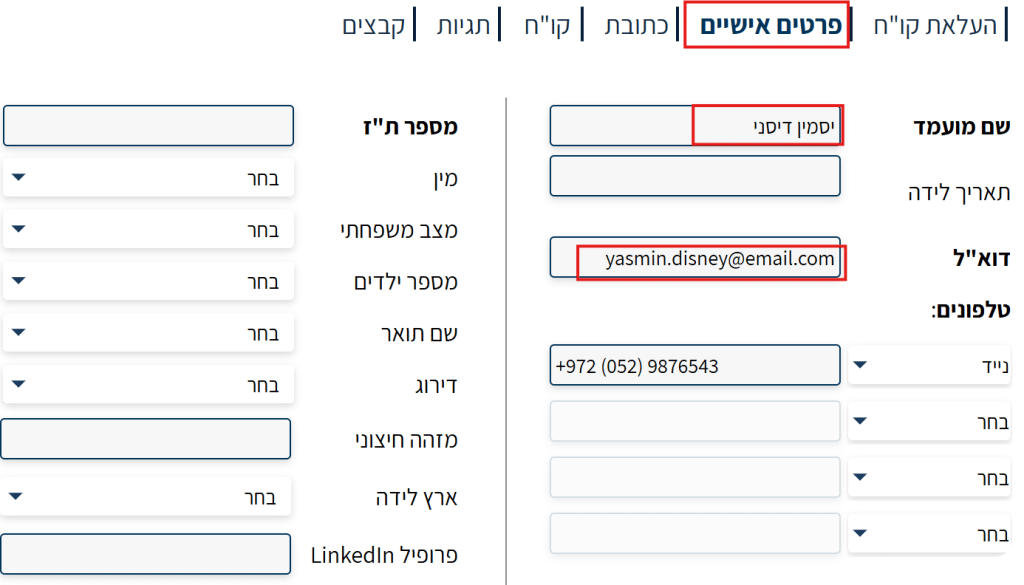
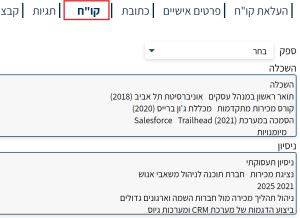
  • The system will sort the candidate’s CV into sections that help better analyze the candidate and simplify your recruitment process.
    The sections include: Education, Experience, and Notes:
  • The system will create a skills and years of experience table based on the uploaded CV.
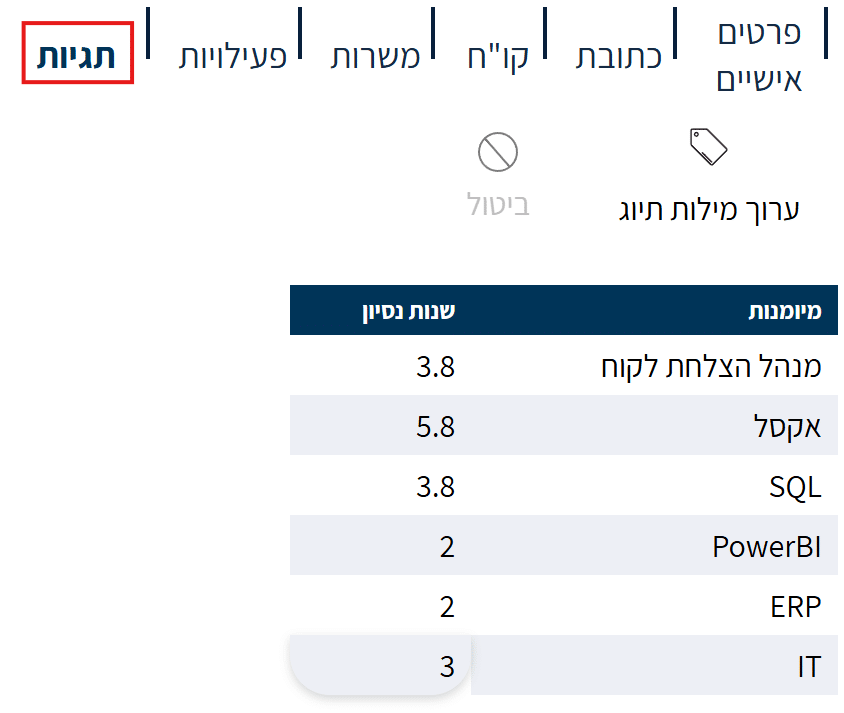
For example: if the candidate is a DEVOPS programmer – the system will create tags for “programmer” and “DEVOPS”.

2. Advanced Search and Candidate Hunting by Tags

Go to the “Candidate Hunter” tab under the “Frequently Used” tab.
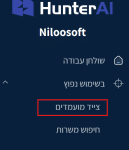
The Candidate Hunter page will then open, where you’ll find the Skills feature.

For the feature to work optimally:

  1. First, fill in the experience field for the experience you want to search for in candidates (for example: devops), and mark whether it refers to the most recent experience in the CV (current experience).
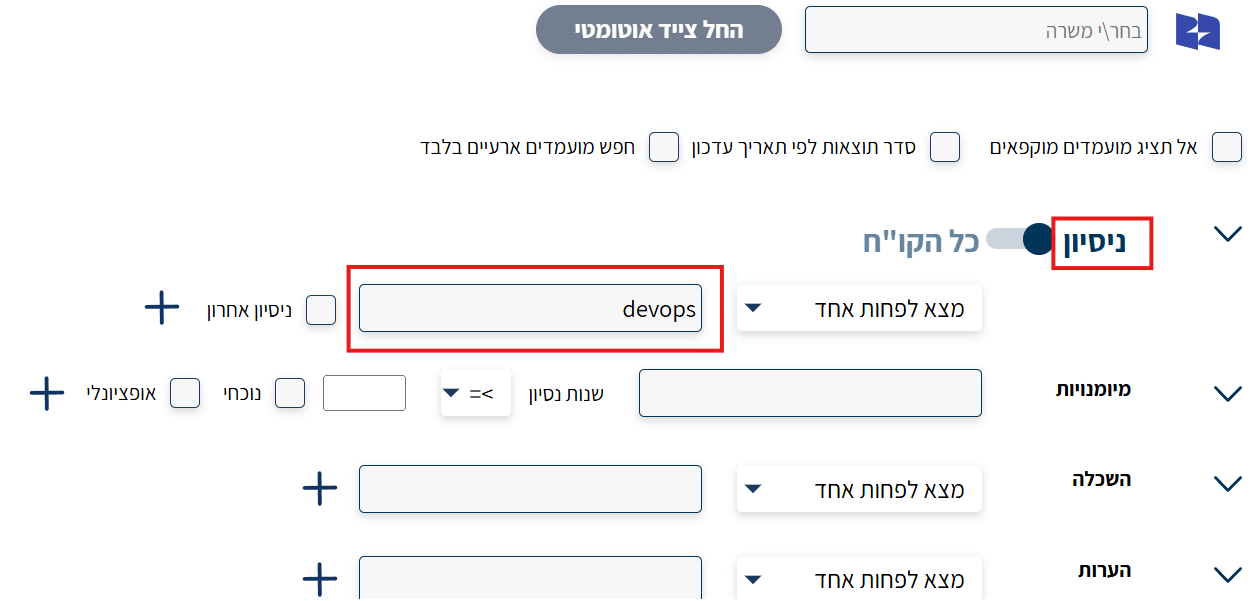
2. Then enter the desired skill or skills and the appropriate years of experience.

3. Click the “+” button to add the skill.

4. Once done — click the “Search” button so the hunter will go through all candidates’ CVs
and search for the skills according to the tag words.
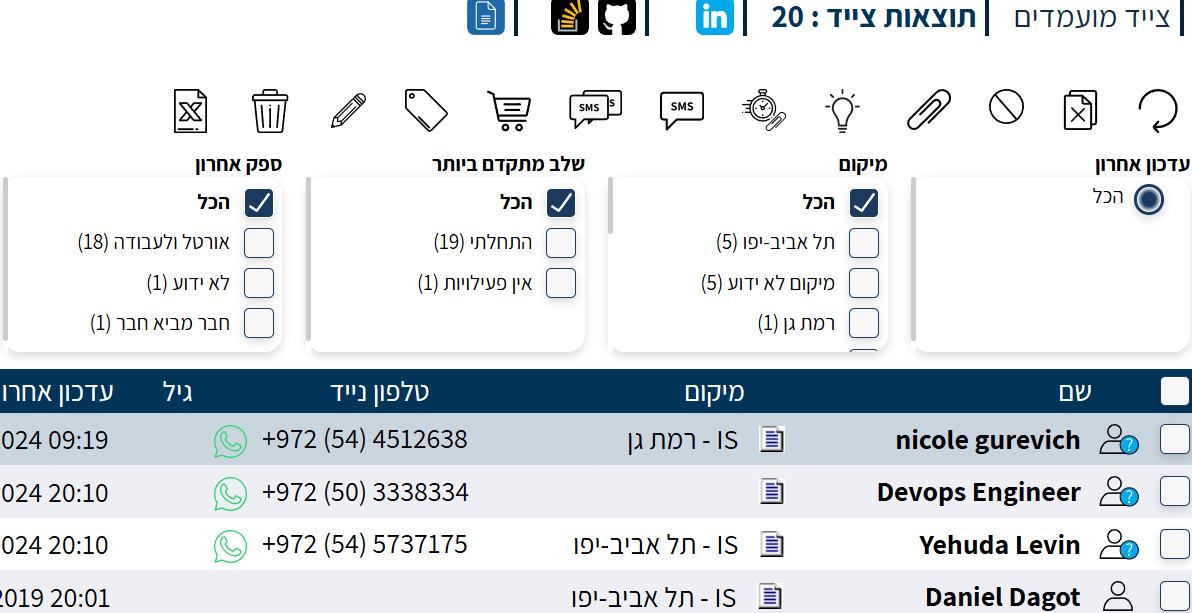
Search Results

A results page will open with a list of candidates matching the entered skills.
The CV of each candidate will appear on the side of the page.
Open the CV and you’ll see that the system marks the experience and skill you searched for, as they appear in the candidate’s CV.
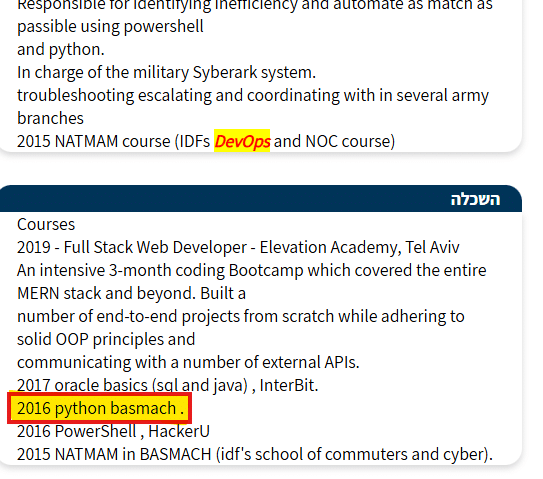
The system performs this filtering using the tags created by the system’s AI agent
at the moment the CV was received by the system.


Summary

Hunter AI’s Skills in Candidate Hunter feature represents a significant leap forward in the recruitment process.
It enables smart, fast, and accurate filtering of candidates by skill tags and experience.

Through automatic CV analysis and focused tagging,
the system reduces manual workload and helps recruiters find the best matches for various positions.

The feature is simple and accessible to use, allowing any user — even without a technical background —
to gain great value from it and improve recruitment quality in the organization.

Picture of Niloosoft Ltd.            Ask ChatGPT

Niloosoft Ltd. Ask ChatGPT

Niloosoft is a leading provider of an advanced system for managing and tracking the employee recruitment and human resources process.


Niloosoft offers its clients solutions in the fields of human resources management, recruitment process management, and customer relationship management (CRM). Our solutions are suitable for freelancers as well as HR departments in companies that recruit personnel for their own needs and manage the recruitment process with the organization’s managers through a single platform.

נילוסופט מובילה את מהפכת גיוס העובדים עם המערכת המתקדמת בעולם לניהול תהליך גיוס עובדים ומשאבי אנוש

השאירו פרטים ונדבר