
How to Update Education and Experience for an Existing Candidate in Hunter AI?

In the world of modern recruitment, your candidate database is your most valuable asset. Niloosoft’s Hunter AI system allows you to not only store resumes, but also use this data as an active search tool (“hunters”). However, an effective candidate database is an updated one.

Adding or updating experience and education details within an existing candidate card is a critical action — it allows you to:

  • Precise filtering: Perform sophisticated filters that combine the candidate’s most current experience with the skills required for a new position.
  • Retaining quality candidates: Return to candidates who were relevant in the past, with full and up-to-date information about their professional development.
  • Professional presentation: Present recruiting managers with accurate and complete candidate reports.

These are the most precise and detailed steps for updating data in the Hunter AI system:

Step 1: Finding and Opening the Candidate Card

To begin the update, you need to access the relevant candidate card in the system:

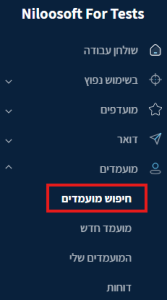
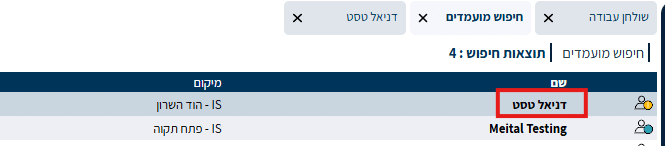
  1. Navigate to the Search Screen: In the Hunter AI main menu, go to: CandidatesSearch Candidates.

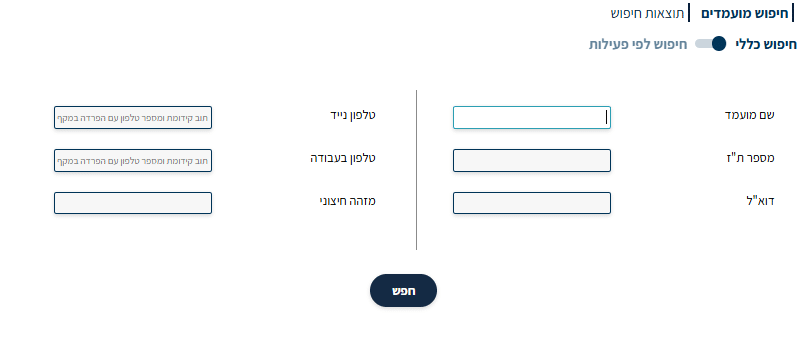
2. Smart Search: Use the system’s smart search engine. It is recommended to enter unique details such as a phone number, ID number, or email address to avoid duplicates and open the exact card.
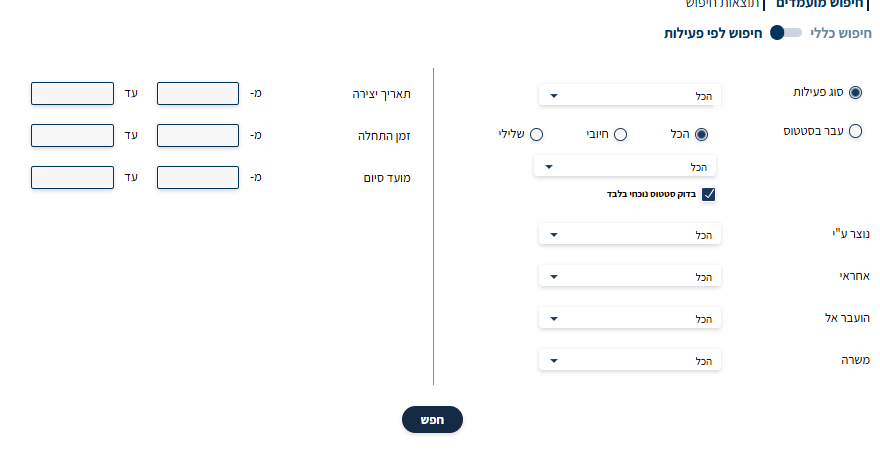
  • Search by activity — according to the parameters listed below — activity type, dates, responsible parties, who created the candidate, etc.
3. Open a Card: Click on the candidate’s name from the results list to enter the full Candidate Card.
Step 2: Entering Edit Mode in the Resume Details

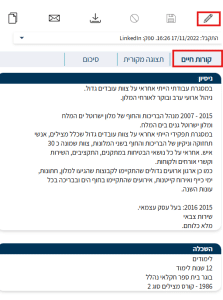
The candidate card displays all information about the candidate across different tabs. The structured resume information (education and experience) is usually found in the tab.

  1. Navigate to the Resume tab

2. Locate the “Edit” button (usually a pencil icon or gear icon) and click it. This will put the card into a mode that allows you to modify and add data. As shown in the image above.

Step 3: Entering Updated Experience and Education

After entering edit mode, you can see the categorized data:

For Updating the Work Experience Section —

  • Scroll to the Work Experience (Experience) section
  • Enter the data: Company name, position, exact employment dates, and a detailed description of the role. It is especially important to update the candidate’s most recent position and make sure it appears with an open end date (if still employed).
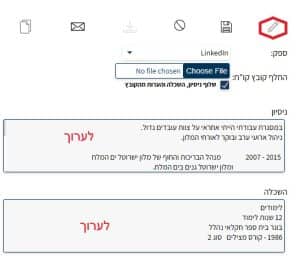
For Updating the Education Section —

  • Navigate to the Education (Education) section
  • Enter the data: Institution name, degree or certificate obtained, and the completion date. If the candidate has started new studies or obtained a relevant professional certification (such as a cloud certification or project management certification), make sure to add it here. As shown in the image above.

Step 4: Saving the Update and Confirming the Data

The last and most important step is to make sure the data is saved in the system:

  1. Review: Go over the data you entered to make sure there are no typos.
  2. Final Save: Click the “Save” or “Update” button, which is usually located at the top or bottom of the screen.

Additional Tips for Optimal Data Use:

  • Document the data source: If you updated the data based on a phone call or external information, it is recommended to add an “Activity” of the type “Note” to the candidate card, and indicate when and how the details were updated.
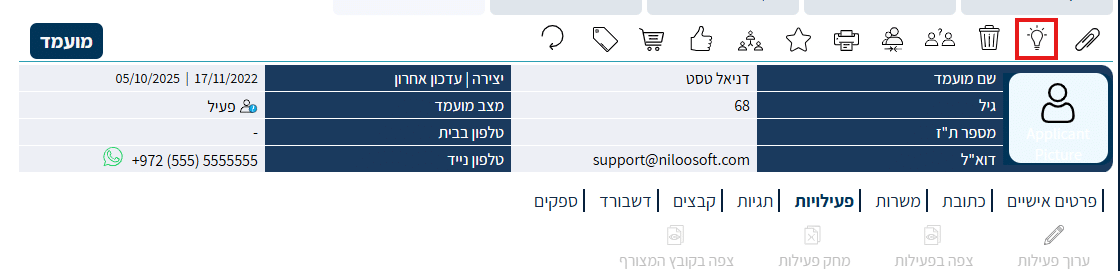
  • Using the Hunters: Now that the data is updated, use the “Candidate Hunter” Hunter tool to find this candidate for another position. They will appear in the results with a higher match score thanks to the new data you entered.

By keeping candidate cards regularly updated, you ensure that the Niloosoft database will be the most powerful and effective work tool for recruiting in your organization!


Picture of Niloosoft Ltd.            Ask ChatGPT

Niloosoft Ltd. Ask ChatGPT

Niloosoft is a leading provider of an advanced system for managing and tracking the employee recruitment and human resources process.


Niloosoft offers its clients solutions in the fields of human resources management, recruitment process management, and customer relationship management (CRM). Our solutions are suitable for freelancers as well as HR departments in companies that recruit personnel for their own needs and manage the recruitment process with the organization’s managers through a single platform.

נילוסופט מובילה את מהפכת גיוס העובדים עם המערכת המתקדמת בעולם לניהול תהליך גיוס עובדים ומשאבי אנוש

השאירו פרטים ונדבר