“`html
The HunterAI recruitment system supports 6 different languages! English, Hebrew, Spanish, Chinese, Polish, German, Russian, and Georgian.
Since the system is global, you can customize and change the interface language to whichever supported language you prefer to work in.
The HunterAI recruitment system derives its language from your browser’s language settings, so the change needs to be made in the browser’s language configuration. For example — if English is set as the primary language in your browser, the system will display in English.
In this article, you will learn how to change the system’s user interface language to your preferred language. We will walk through changing the browser language in two popular browsers — Chrome and Edge:
For demonstration purposes, we will show how to change the system language to Hebrew.
*This article is written in the masculine form but is intended for all genders ?
Steps to change the language in Google Chrome:
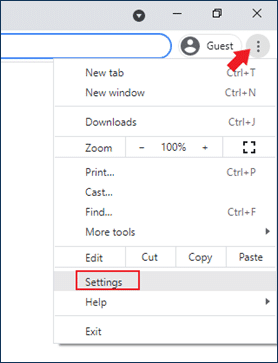
- Open browser settings by clicking the three dots at the top of the page.
- Then click on Settings to access the browser settings.
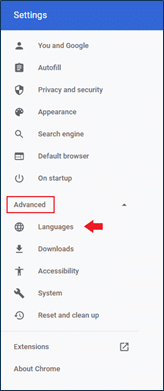
- Open the Advanced settings on the side of the screen and navigate to Languages.
- Click on Languages and then click Add language. Make sure you do not click on Spell check.
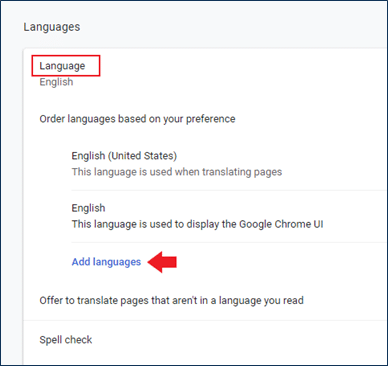
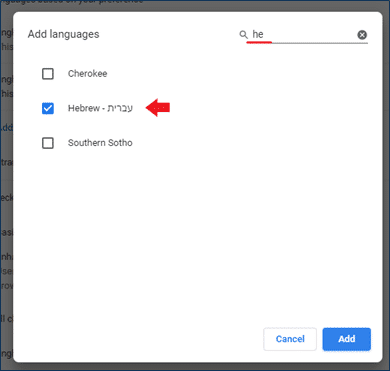
- Now search for Hebrew, select it, and click Add.
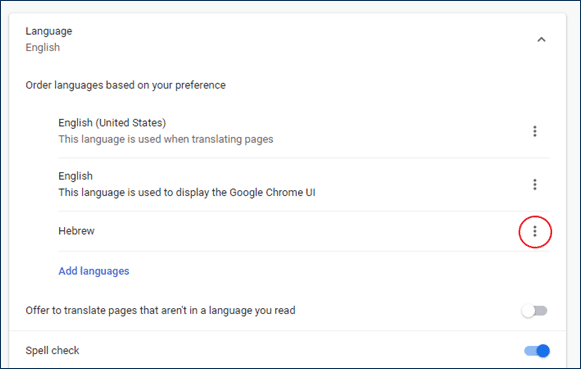
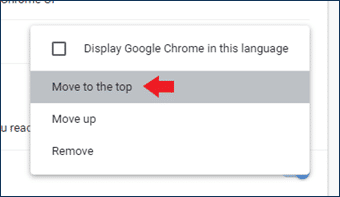
- After adding Hebrew, click the additional options (the three dots next to Hebrew) and select “Move to the top”.
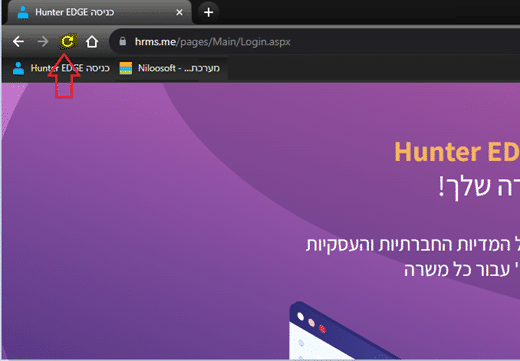
- After completing this step, go back to the system page and click the Refresh button for the change to take effect.
Steps to change the language in Microsoft Edge:
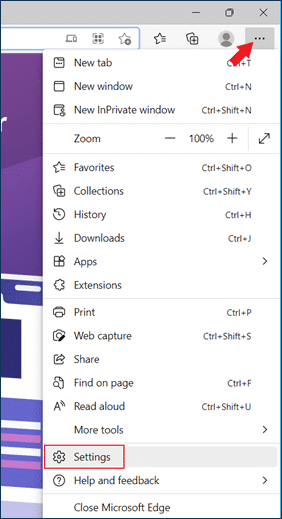
- Open browser settings at the top of the page (click the three-dot menu) and go to Settings.
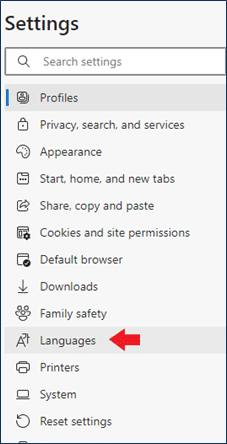
- On the left side of the screen, navigate to Languages.
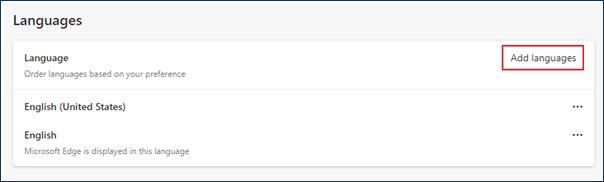
- Open Languages and click Add language.
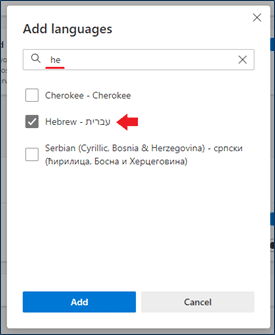
- Search for Hebrew and select it. After selecting, click the Add button.
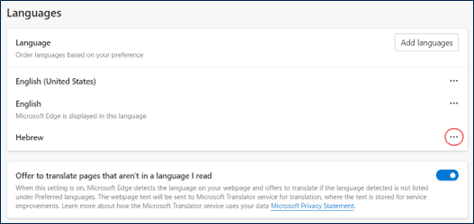
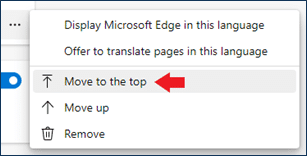
- After adding, click the additional options next to Hebrew (the three-dot menu) and then click Move to the top.