

In the HunterAI system by Niloosoft, a vendor is any recruitment source from which potential candidates are received:
job boards, staffing and placement agencies, social networks, employee referral programs, freelancers, the company website, and more.
Setting up and precisely defining vendors is the foundation for efficient recruitment process management.
When all recruitment sources are fully defined in the system, you can:
- easily analyze which vendor brings the highest-quality candidates
- identify trends
- understand where to invest your recruitment budget
- prevent missing data or incorrect attributions
- maintain a clean, organized, and accurate candidate database
During the system setup phase, one of the most important steps is creating all the vendors your organization works with — each vendor is set up only once, and the system automatically identifies every candidate who comes from it.
How to Set Up a New Vendor in the System?
1. Accessing the Vendors Screen
In the HunterAI side menu, navigate to:
Vendors → New Vendor
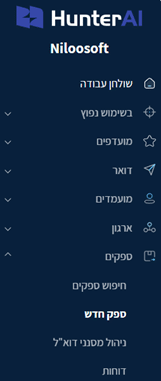
This will open the vendor creation screen.
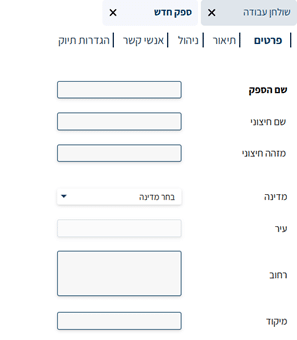
2. Filling in Vendor Details
In the opening screen, enter the vendor name:
For example:
AllJobs
(or any other recruitment source)
After entering the name, click “Next” to proceed to the vendor editing pages.
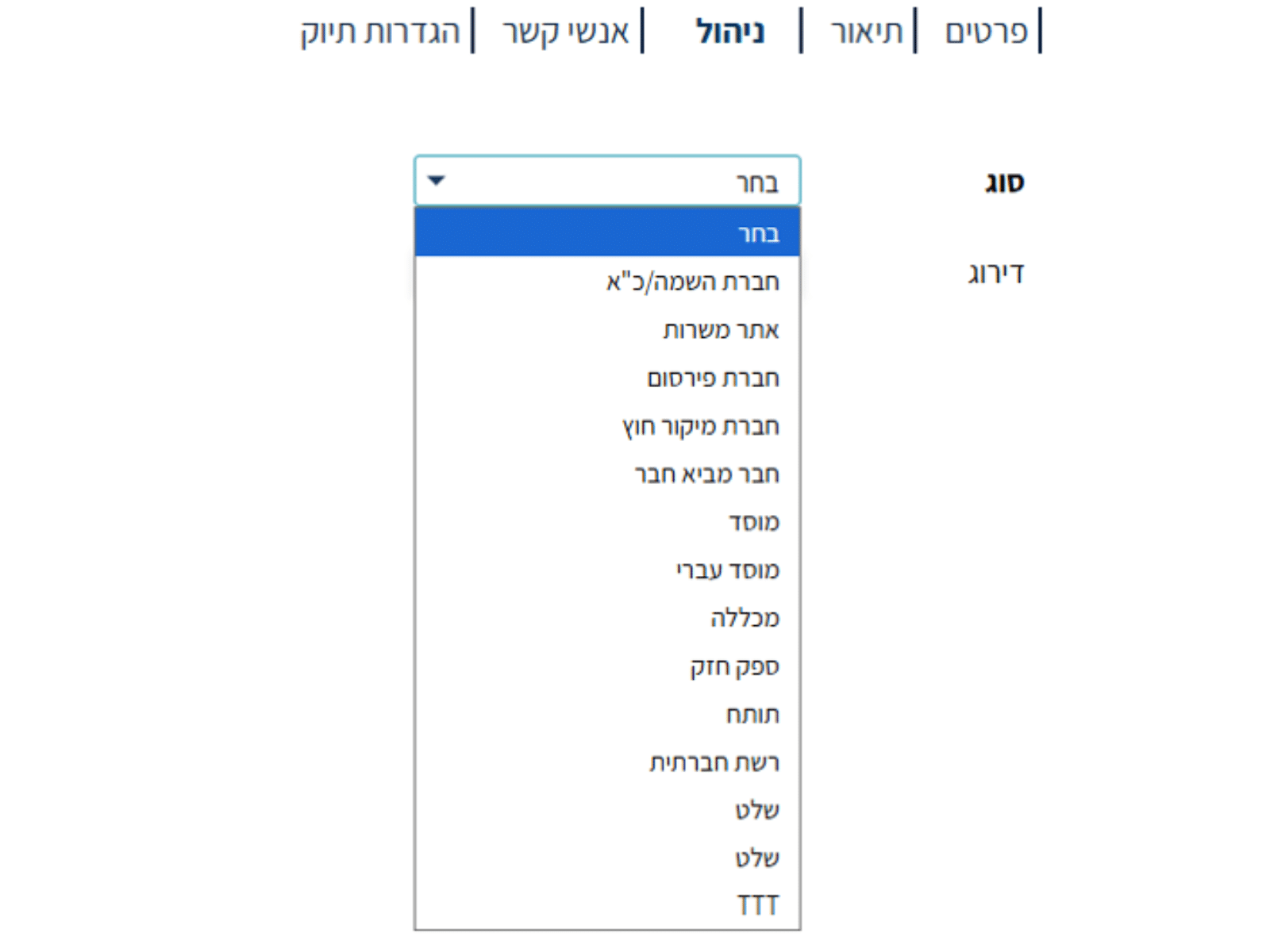
3. The "Management" Page
On this page, enter:
- Vendor Type
For example: job board, staffing agency, social network, etc.
Selecting the correct vendor type helps generate organized reports and understand the source of candidates.
4. The "Contacts" Page
Here, enter:
- The vendor’s contact details
For example: name, position, phone, email address
Especially important when working with external vendors such as staffing agencies.

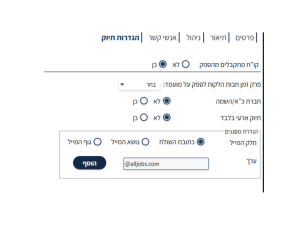
5. The "Filing Settings" Page
This is one of the most important pages when setting up a vendor,
because it defines how the system identifies the resumes coming from it.
Fill in the following fields:
✔ Whether the system should receive resumes directly from the vendor
(usually yes)
✔ Whether this is a staffing / manpower agency
✔ The email suffix (or exact email address) of the recruitment source
For example:@alljobs.co.il
or the full email address of a placement representative.
When an email with a resume arrives from this address,
the system will automatically assign the candidate to the correct vendor automatically.
6. Saving and Creating the Vendor Card
After filling in all the details, click “Finish”.
The system will create a complete vendor card that looks like this (based on your example):
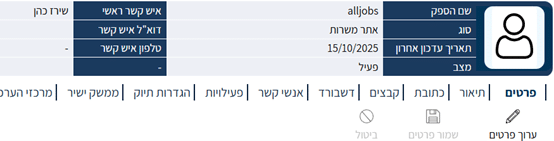
The vendor is now ready to use, and the system will start routing candidates who come from it according to the settings you entered.

Important Tip from the Niloosoft Implementation and Support Team:
To ensure recruitment sources are correctly classified and every candidate enters the system under the appropriate vendor, we recommend taking the following steps:
✔ Check Existing Vendors
Review the vendor list in the system and check:
- that each vendor is fully defined (name, vendor type, contacts, tags, etc.)
- that their email filters are correctly configured (addresses, suffixes, patterns)
- that filter values are defined consistently so the system identifies the emails and files them under the correct vendor
Inaccurate email filter configuration is the main cause of incorrect attributions in the system.
✔ Handle Duplicate Vendors
If you identify two vendors representing the same recruitment source, it is recommended to:
Notify the support team
Evaluate a relevant merge
Prevent duplicate creation going forward
A duplicate vendor can cause split data, inaccurate reports, and disruption in the process of analyzing recruitment source effectiveness.
✔ Before Setting Up a New Vendor
Every time you sign a contract with a new vendor, or when you start working with an additional recruitment source, first check whether it already exists in the system.
If not —
set it up following the steps described in this article.
Summary:
Setting up a new vendor in HunterAI is a straightforward process, but one of high systemic importance.
When recruitment sources are fully defined, the entire recruitment process becomes more accurate, reliable, and efficient.