

How to Search for a Unit in Hunter AI HR Recruitment System?
The Hunter AI recruitment system includes advanced capabilities for fast, accurate, and convenient searching of organizational units.
Using a user-friendly search engine, you can locate any unit by name, identifier, organizational affiliation, or additional parameters — and reach the unit card easily.
In this article, you’ll learn how to perform a correct unit search in the HR management and recruitment system.
If you’d like to learn how to create a unit in the system, click here to read the article
If you’d like to edit an existing unit in the system, click here to read the article
Searching for an Existing Unit
To locate an existing unit:
Go to Main Menu > Organization > Unit > Search Unit
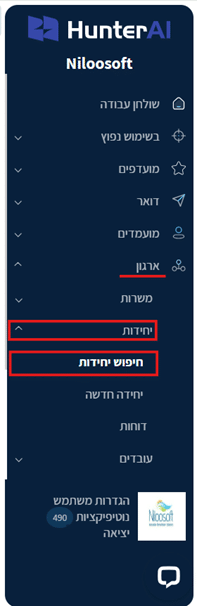
Enter the unit name or another parameter you’d like to search by.
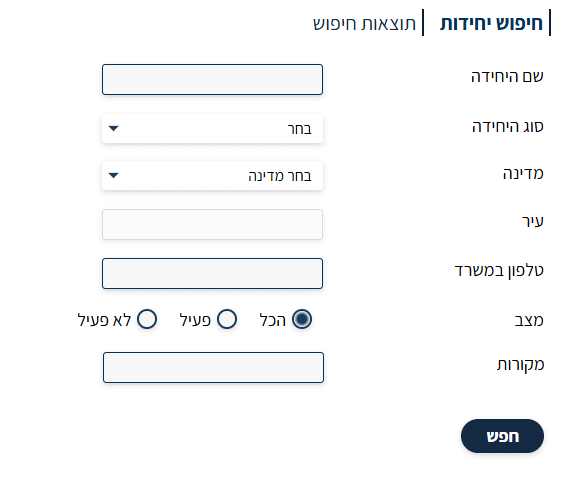
- Unit Name field – allows you to search by the unit name as entered in the system.
- Unit Type field – allows you to filter by unit type (division, department, branch, etc.).
- Country field – search for units by the country they are located in.
- City field – search for units by city.
- Office Phone field – allows you to search by the unit’s phone number.
- Status (All/Active/Inactive) field – choose whether to display all units, only active ones, or only inactive ones — based on how they are defined in the system.
If you leave all fields empty and click the “Search” button, the system will display all units that exist in your system without any filtering:

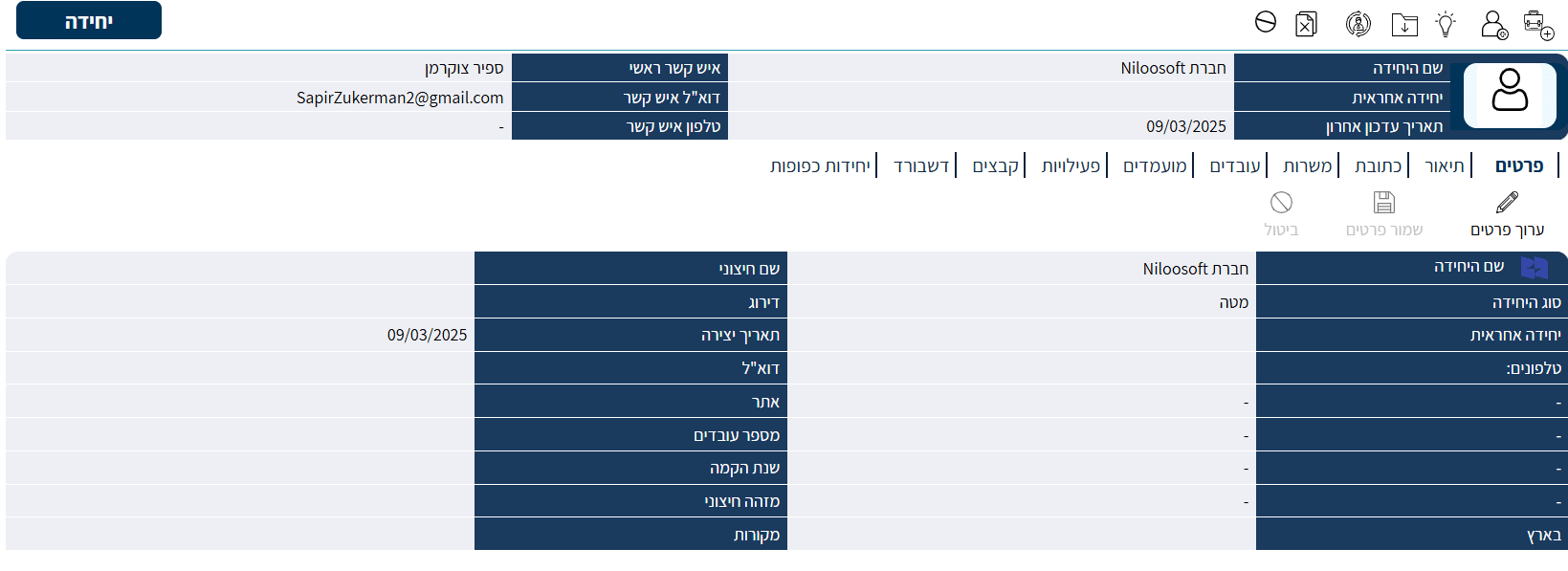
Then, by clicking on the name of the desired unit, you can open the unit card and edit all its details.

Summary
Hunter AI’s search engine lets you locate any unit in the organization in a simple and convenient way, using a variety of filters and extensive display capabilities.
Using the search options correctly will make it easy to quickly access any relevant unit, perform administrative actions, or continue working with the positions and employees assigned to it.
For any further questions, you can contact our support team here
Happy recruiting!